- An AI answering service is a voice agent that answers your business calls, talks naturally, answers common questions, books appointments and texts you a summary.
- It's strong on volume, speed and routine calls; it's weak with upset callers, exceptions and anything not in its instructions.
- Self-serve AI receptionists start around $49 to $150 a month (November 2026); custom builds add setup work but connect to your own systems.
- The best setups always give callers a way to reach a human.
An AI answering service is a voice agent that picks up your business calls, talks with callers in natural language, answers common questions from information you give it, books appointments and texts or emails you a summary. Unlike a phone menu, callers just say what they need. Unlike a human answering service, it can take many calls at once, at any hour, for a flat monthly fee.
That’s the sales pitch. This guide covers how an AI phone answering system actually works, what it does badly, what it costs, and how to set one up without annoying your customers. Building these is what we do at opsmigo, so we’ll be specific about the limits.
How an AI answering service works
Every AI receptionist, from a $49 app to a custom build, runs the same basic loop on each turn of the conversation.
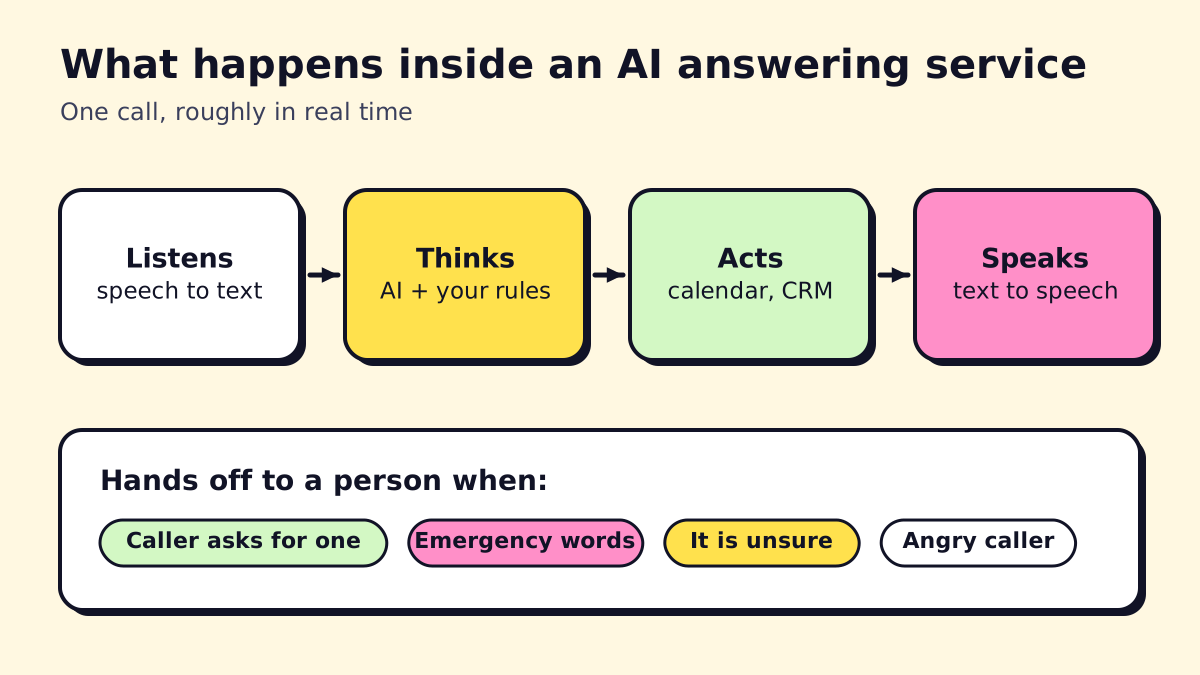
- Listens. Speech-to-text turns the caller’s words into text as they speak.
- Thinks. A large language model reads the text along with your instructions: business hours, services, prices, service area, booking rules and what it must never say.
- Acts. It calls tools: checks your calendar, creates a booking, looks up an order, adds a lead to your CRM, sends a text.
- Speaks. Text-to-speech replies in a natural voice, usually in under a second or two.
Around that loop sit the parts that make it business-ready: a phone number or call forwarding, a knowledge base built from your website and documents, rules for when to transfer to a person, and call recordings and transcripts so you can check what happened.
What it’s good at
- Answering every call at once. No busy signal at 8:05 a.m. when everyone calls.
- Routine questions. Hours, location, pricing ranges, what you do and don’t service, insurance accepted.
- Booking. Finding an open slot and confirming it, then sending a text confirmation.
- Consistent lead intake. It asks the same qualifying questions in the same order every time.
- Instant summaries. You get a text with the caller’s name, need and next step seconds after hang-up.
- Order and status lookups. “Where’s my order?” or “Is my car ready?” if it’s connected to the right system.
What an AI answering service can’t do well
Here’s where we’d be doing you a disservice if we skipped ahead to pricing.
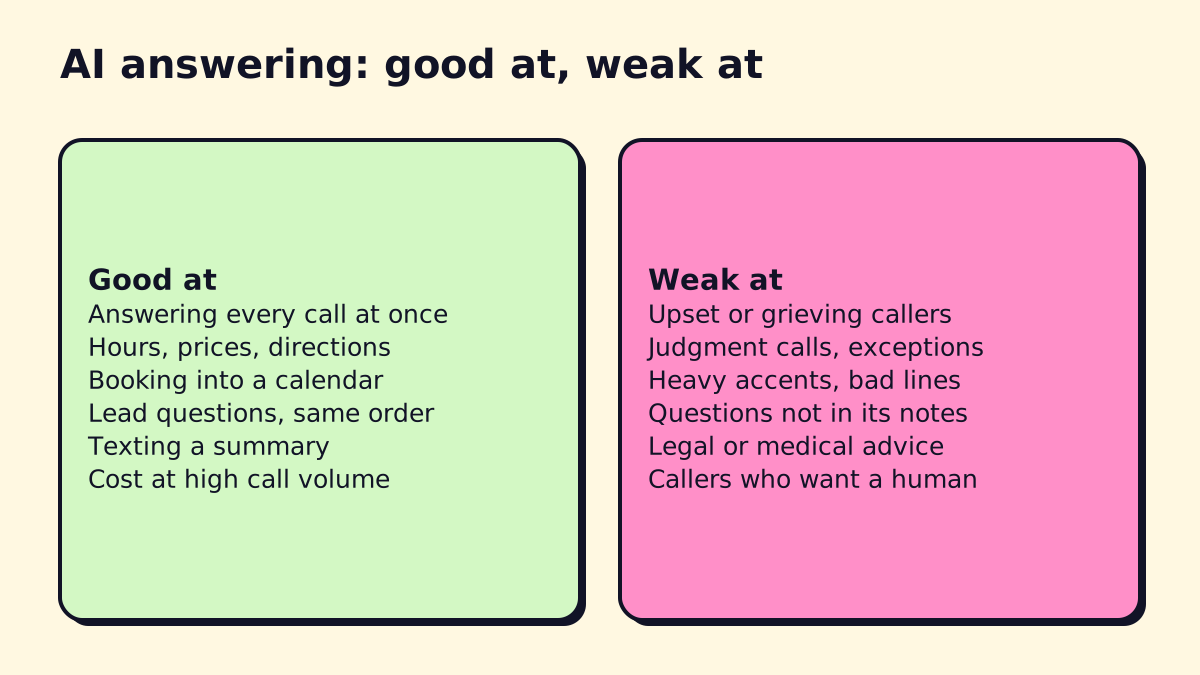
Upset, grieving or panicked callers. AI can follow a script for an emergency, but it can’t read a room. A caller whose elderly mother has no heat in January wants reassurance from a person.
Exceptions and judgment calls. “Can you squeeze me in today if I pay extra?” or “I’m a long-time customer, can you waive the call-out fee?” need someone with authority.
Questions it hasn’t been given. If your instructions don’t cover something, a well-built agent says it will pass the question on. A badly built one guesses, and a confident wrong answer about price or availability is worse than “let me have someone call you.”
Bad lines and heavy accents. Speech recognition has improved a lot, but noisy job sites, speakerphones and poor cell coverage still cause errors, especially with names, addresses and numbers. Good agents read details back to confirm them.
Professional advice. Legal, medical and financial questions must route to a person. Your AI should be explicitly told never to give advice in those areas.
Callers who just want a human. Some will ask straight away. Let them. Forcing people through an AI they didn’t choose is the fastest way to lose them.
The fix for most of these is the same: clear rules for when to hand off to a human, and a human who’s actually available (you, your staff, or a live answering service as backup).
AI vs human answering service
| AI answering service | Human answering service | |
|---|---|---|
| Calls at once | Unlimited, in practice | Depends on staffing |
| Cost per call | Low, flat plans | Per minute or per call |
| Empathy and judgment | Limited | Strong |
| Booking and system updates | Fast, if integrated | Often manual |
| Consistency | Same every time | Varies by agent |
| Languages | Often several | Usually English and Spanish |
Most businesses don’t need to pick one. A common setup: AI answers first and handles routine calls; emergencies and “let me talk to someone” go to a person. If you’re weighing a human service, our virtual receptionist services guide covers the main options.
AI answering service providers
Prices below are from the vendors’ pages as of November 2026.
Smith.ai AI Receptionist. A free tier covers 25 calls a month, and Pro starts at $150 a month for 75 calls. Smith.ai also sells human receptionists, which makes it easy to blend AI and live agents with the same company.
RingCentral AI Receptionist. Built into RingCentral’s phone system and sold standalone or as an add-on in the US and Canada. It handles routing, FAQs, lead capture and booking, and supports English, Spanish, French, Italian, German and Portuguese. Pricing isn’t on the product page; ask sales. A sensible pick if you already use RingCentral.
Goodcall. From $79 a month for 100 unique callers, billed per caller rather than per minute. You can build and test a demo agent for free.
Rosie. From $49 a month for 250 minutes, with English and Spanish on every plan and a 7-day free trial.
Custom builds. An agency builds the agent on a voice AI platform and connects it to your actual systems: field service software, practice management, CRM, on-call schedule. You pay for setup and then usage. It’s worth it when off-the-shelf tools can’t reach the software your business runs on, or when your call rules are complex.
For a side-by-side of AI against live service pricing, see how much an answering service costs.
What about an AI call center agent?
“AI call center agent” usually refers to the same technology at larger scale: hundreds of simultaneous calls for support lines, order taking or appointment reminders. The core is identical. The differences are in reporting, quality monitoring and integration with contact center software. For a small service business, an AI receptionist is the right-sized version. Our AI customer service guide covers chat and email as well as voice.
How to set up an AI answering service
This is the process we follow. It works whether you buy a tool or have one built.
1. Pull your call data
Look at four weeks of calls. List the ten most common reasons people call. Those ten reasons are your AI’s job description.
2. Write the knowledge base
For each call reason, write the answer the AI should give, in plain sentences. Add hours, services, service area, pricing you’re comfortable quoting, and things you don’t do. Shorter and clearer beats longer.
3. Write the handoff rules
Spell out when the AI transfers or escalates:
- The caller asks for a person.
- Emergency words or situations from your list.
- The AI isn’t confident it understood.
- Complaints, billing disputes, legal or medical questions.
Then decide where those calls go during the day and after hours. Our after-hours answering service guide has a template for on-call and escalation rules.
4. Connect your systems
At minimum, connect the calendar so bookings are real. Ideally, also connect your CRM or job management tool so leads don’t need retyping. Automation tools like n8n or Zapier often handle this glue; see our n8n workflow examples.
5. Test with realistic calls
Call it 20 times as different customers: a new lead, an emergency, a confused elderly caller, someone on speakerphone in a truck, someone who asks for a manager. Read every transcript. Fix the instructions. Repeat.
6. Go live gradually
Start with overflow and after-hours calls only, then expand once you trust it. Review a sample of transcripts every week for the first month.
Compliance and trust
Tell callers it’s AI. A simple “Hi, you’ve reached [Business]. I’m the virtual assistant and I can help with most things, or get you to a person” sets expectations. Customers are wary of AI phone scams, and being upfront helps.
Outbound calls are different. In February 2024 the FCC ruled that AI-generated voices count as “artificial” voices under the TCPA robocall law, so outbound AI calls generally need the recipient’s prior consent (FCC announcement). Inbound answering isn’t the issue, but reminder and follow-up calls by AI are.
Recording consent. Some US states require all parties to consent to a call recording. A short disclosure at the start of the call covers this.
Health information. If your AI handles patient information for a medical or dental practice, the vendor must sign a HIPAA business associate agreement. See our medical answering service guide.
Is an AI answering service right for you?
Good fit: many routine calls, predictable questions, appointment-based business, missed calls during busy hours, after-hours leads you’re losing.
Poor fit: most calls are complex or emotional, every call needs a quote that depends on judgment, or you have no human to hand off to.
If you’re in the first group and want an AI receptionist connected to your own calendar and job software, with human handoff where it matters, that’s what opsmigo builds. We’ll start by looking at your call reasons, and we’ll tell you if a simple off-the-shelf tool is enough.
We build a free demo on your own services and hours.
FAQ
What is an AI answering service?
It's software that answers your business phone with a natural-sounding AI voice. It understands what callers say, answers from information you provide, books appointments or takes messages, and sends you a summary.
Will AI replace call center agents?
For routine calls like hours, booking and order status, AI already handles a large share at many businesses. Calls that need empathy, judgment or negotiation still go to people, so the realistic change is fewer, more skilled human agents rather than none.
Can callers tell they're talking to AI?
Often, yes, especially on longer calls. We recommend telling callers up front that they're speaking with an AI assistant and offering a human option. It builds trust, and callers mostly care about getting helped quickly.
Does Google have an AI answering service for businesses?
Google doesn't sell an AI receptionist for small businesses. Google Voice offers spam blocking and voicemail transcription; AI answering for business lines comes from providers like Smith.ai, RingCentral, Goodcall or a custom build.
Is it legal to use AI to answer business calls?
Answering inbound calls with AI is generally fine. Outbound calls with AI voices are covered by robocall rules and need prior consent in the US, and recording calls may require all parties' consent in some states, so check your local rules.